Carnival cruise WiFi is now faster than ever, so sharing sunset photos from the Lido Deck is easy. But if you choose the wrong plan, you might end up paying for things you don’t need. Plus, prices are about to change a lot.
Imagine the ship leaving port, the warm wind on your face, and you want to text home to say you arrived safely. Should you pay $20 a day, $25 a day, or skip it? Let’s find out together.
Quick Answer: How Much Is Carnival Cruise WiFi?
Carnival sells three main plans. Here are the pre-cruise starting prices, per device, per day:
- Social: $20.40, for social media apps only
- Value: $23.80, which adds email and web browsing
- Premium: $25.50, which adds streaming and video calls
There’s also a Multi-Device Premium plan that starts at $90 a day for up to four devices.
Heads up: Starting December 1, 2026, prices will change based on how long your cruise is, where it goes and when you sail.
How Carnival WiFi Works at Sea
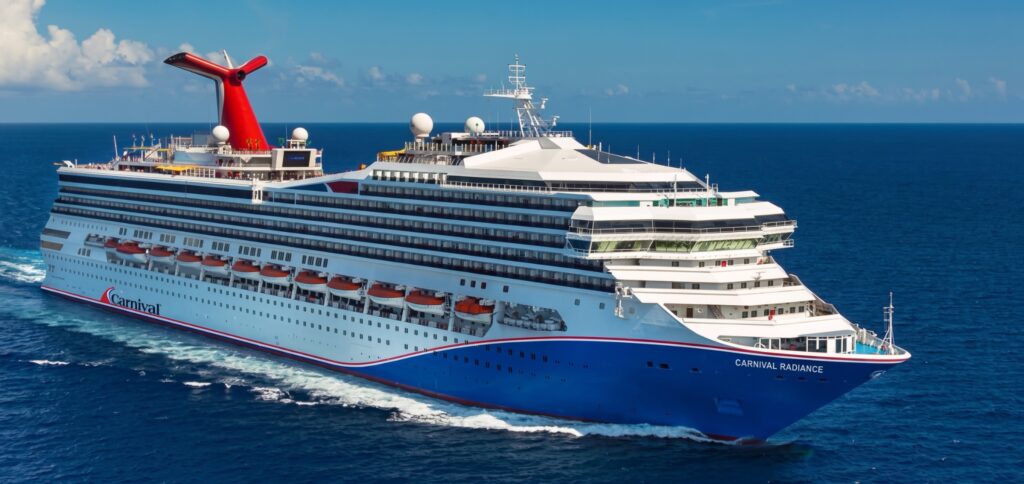
Your phone won’t connect to regular cell towers while you’re at sea. Carnival uses satellites, including SpaceX’s Starlink, to provide WiFi. Now, every ship in the fleet has it.
Starlink made a big difference! Carnival’s parent company says it offers three times more capacity and much less lag than the old satellite systems.
Here’s something that confuses people: connecting to the ship’s WiFi doesn’t mean you have internet access. Without a plan, you can only use the free HUB app.
Carnival WiFi Plans, Explained Simply
Social Plan: For Posting and Texting
This plan lets you use Facebook, Instagram, WhatsApp, Snapchat, TikTok, Pinterest, X, Reddit, LinkedIn, and major airline websites.
What you don’t get:
- Most other websites
- Netflix, Spotify and Hulu
- FaceTime
- WiFi calling through your phone carrier
Choose this if you mainly want to share photos and message your family on WhatsApp.
Value Plan: For Email and Browsing
The Value plan gives you everything in Social, plus email, news, sports scores, and weather, all at a faster speed. You still can’t stream video.
Pick this plan if you need to check email or look up information about your next port.
Premium Plan: For Streaming and Video Calls
Premium is up to three times faster than the Value plan. It works with Netflix, Hulu, Spotify, FaceTime, Zoom, and even your Ring doorbell, as long as coverage is available.
Two quick notes:
- Regular WiFi calling through your phone carrier still doesn’t work.
- Carnival lists Vista, Horizon and Sunrise as Netflix-enabled ships, so you can watch with your own account.
Choose this plan if you want to FaceTime with your kids, join work calls, or watch the big game.
Multi-Device Premium: For Families
This plan gives you Premium speeds on up to four devices at once, starting at $90 a day. If you book early, you can save up to 25% compared to buying onboard.
Here’s how it breaks down: four separate Premium plans cost $102 a day, so this plan saves you about $12 a day. But if only two people need internet, buying two separate plans is cheaper.

Buying Before You Sail vs. Onboard
If you wait to buy WiFi until you’re on the ship, you’ll pay more. Carnival says you can save up to 15% by buying ahead of time.
- You have until 11:59 PM Eastern time the night before your cruise to buy WiFi at the lower price.
- Carnival’s plan page lists onboard prices as $22, $26, and $28 per day. However, other Carnival pages and news reports mention prices as high as $32 to $35 per day.
- If you want a 24-hour pass, you can buy one for the Value and Premium plans onboard. The Social plan doesn’t offer 24-hour passes.
My advice, if you think you’ll want WiFi, buy it before your cruise. It’s similar to getting concert tickets early instead of waiting until you arrive.

The December 2026 Pricing Change
Most guides haven’t mentioned this yet, but for cruises on or after December 1, 2026, Carnival WiFi prices will depend on several factors:
- How long your cruise is
- Your itinerary
- The season you sail
Carnival hasn’t announced if prices will increase or decrease. News reports suggest that WiFi will probably cost more during peak seasons.
Here’s what I’d do: Check your WiFi price in Cruise Manager now, and then check again every few weeks. If you find a good price, go ahead and lock it in.
Is Carnival WiFi Fast Enough?
WiFi is usually fast enough for posting, browsing, and casual streaming. Upload speeds, though, can be slow.
Cruisers have shared a wide range of experiences with Carnival’s WiFi:
- One got about 120 Mbps download but less than 1 Mbps upload on Premium. That made Teams calls hard.
- Another cruiser saw speeds up to 9 Mbps in their stateroom on the Mardi Gras ship.
Downloading is usually smooth, but uploading large videos or running live meetings can be unreliable.

Can You Work Remotely on a Carnival Cruise?
You can probably handle light work, but I wouldn’t risk doing anything critical while on board.
Carnival says they don’t support VPNs, which means you might not be able to access your company’s systems.
Before you sail:
- Ask your IT team if your work tools need a VPN.
- Download the files you’ll need.
- Don’t schedule must-have meetings on sea days.
- Set up a backup plan with a coworker.
What Not to Pack
Don’t bring travel routers or portable satellite dishes. Carnival doesn’t allow them, and they once took away a guest’s Starlink Mini on a Hawaii cruise.
It’s just not worth losing your gear or getting into trouble.
Free Ways to Stay Connected
- The HUB app: View menus, deck maps and show times for free, no plan needed.
- HUB chat: This in-app messaging usually costs about $5 for the whole cruise. Just know that messages might be delayed by a few minutes.
- Port WiFi: Plenty of cafes near the cruise ports offer free WiFi.
- Your home phone plan: Some plans include data in places like Mexico, so check with your carrier before your trip.

Check Your Bundle First
Some Carnival FunPacks already come with WiFi. Both the Social FunPack ($60 a day) and the Epic FunPack ($99 a day) include Premium WiFi.
Check your existing purchases before adding WiFi, so you don’t end up paying for it twice.
How to Get Better Speeds
- Try getting online early in the morning or late at night, when fewer people are using the internet.
- Turn off automatic photo backups to iCloud or Google Photos to save bandwidth.
- Download your shows and playlists before you leave home.
- Be sure to log out on one device before logging in on another.
How to Set Up Your Phone
1. Download the HUB app while you’re still at home.
2. Switch your phone to airplane mode before the ship leaves port.
3. Then, turn WiFi back on.
4. Connect to the ship’s guest WiFi network.
5. Open the HUB app to start your plan or buy one if you haven’t yet.
If you keep airplane mode on, you won’t get any surprise roaming charges while at sea.
On my first cruise I didn’t know any of this and got a big bill without realizing why. So definitely follow these steps before leaving the port.
Carnival Cruise WiFi FAQ
Is WiFi free on Carnival?
You don’t get full internet for free. The HUB app is free to use, but you’ll need to buy a plan to access the rest of the internet.
Can two people share one plan?
You can share a plan by taking turns, but only one device can connect at a time.
Does FaceTime work on Carnival?
Yes, FaceTime works if you have the Premium plan.
Does WhatsApp work on the Social plan?
Yes, you can use WhatsApp for messaging on the Social plan, but streaming is not included.
Can I make regular phone calls over the ship’s WiFi?
No, regular phone calls over WiFi are blocked. Instead, you can use apps like FaceTime or WhatsApp to make calls.
What does a week of Premium cost?
Right now, a week of Premium costs about $178.50 if you buy it before your cruise.
Does Carnival use Starlink?
Yes, Carnival uses Starlink on all of its ships.
Is Premium worth it over Value?
Right now, Premium costs about $1.70 more per day than Value. If you plan to make even one video call, I’d recommend choosing Premium.

The Bottom Line
Carnival cruise WiFi is much better now. With Starlink, you can stream, post, and video chat even while you’re at sea. Just remember: use Social for texting, Value for email, and Premium for video.
Buy your plan before the deadline, watch for price changes on trips after December 1, and download your shows before you leave. After that, try to put your phone away for a while. The view from your deck chair is better than any screen!