
Does Royal Caribbean offer free wifi? The answer is a bit mixed. All guests get some free connectivity, and a select group enjoys full internet access at no cost. Most people, though, will need to pay. The good news is you can save a lot once you know which group you belong to.
Imagine you’re sitting on your balcony with a cup of coffee, watching the sunrise turn the sea orange. You want to send a photo home. Your phone says it’s connected, but when you try to send it, nothing happens. I’d be super annoyed.
This small frustration happens to thousands of cruisers every week. We’re going to make sure it doesn’t happen to you!
The Quick Answer: Is Wifi Free on Royal Caribbean?
For most guests, full internet isn’t free. You can join the ship’s Guest Wi-Fi at no cost and use the Royal Caribbean app, but browsing, email, social media, and streaming need a paid package called VOOM.
Here’s the split:
- Free: The Royal Caribbean app, your daily schedule, reservations, and in-app guest chat
- Paid: Websites, Instagram, email, Netflix, and video calls
- Sometimes included: Top loyalty tiers, Sky and Star suites, and The Key bundle
Think of the free network as a hallway. You’re inside the building, but most of the doors are locked.
What Is VOOM? Royal Caribbean’s Internet, Explained
VOOM is the ship’s internet, powered by Starlink on every Royal Caribbean ship. Now, there’s only one package: VOOM Surf + Stream. The old basic “Surf” plan isn’t available anymore.
With it, you can:
- Video chat on FaceTime or WhatsApp
- Stream music and shows
- Post photos and Reels
- Handle most remote work
How fast is it? It’s quicker than it used to be. Think of it like good hotel wifi, but not as fast as home fiber. Weather, lots of users, and some VPNs might slow it down.

Who Gets Free Wifi on Royal Caribbean?
Here’s what most places that say “nope, it’s not free” leave out.
Crown & Anchor Society Members
For sailings departing September 1, 2026 and later:
- Gold: 10% off onboard internet
- Platinum and Emerald: 15% off
- Diamond: 1 free day of Surf + Stream for one device
- Diamond Plus: 2 free days
- Pinnacle Club: Free internet for one device for the whole cruise
Keep an eye on the time. Diamond free days are back-to-back 24-hour periods, so try not to start yours just before a beach day!
Sky and Star Suite Guests
Each guest gets VOOM for one device. But there are some details to know:
- Sky Junior Suites and Sunset Junior Suites don’t qualify
- Spectrum of the Seas’ Sky Balcony Suite (BY) only qualifies for bookings made by April 27, 2026
- Grand Suites on older Vision, Radiance, Voyager, and Freedom Class ships still pay
- Suite internet ends at 8:00 a.m. on departure morning
Club Royale Casino Players
Signature and Masters tier members report free internet as a perk!
Guests Who Buy The Key
The Key gives you internet for one device, early boarding, lunch, and reserved show seats. Is it really “free”? Not exactly. For example, on one Icon of the Seas trip, The Key was $54.99 per person per day, while just the internet was $24.99 if you bought it before the cruise. Plus, everyone age 6 and up in your cabin has to get The Key.
I recommend getting The Key if you want the extra perks. Choose VOOM if you just want wifi.

How Much Does Royal Caribbean Wifi Cost in 2026?
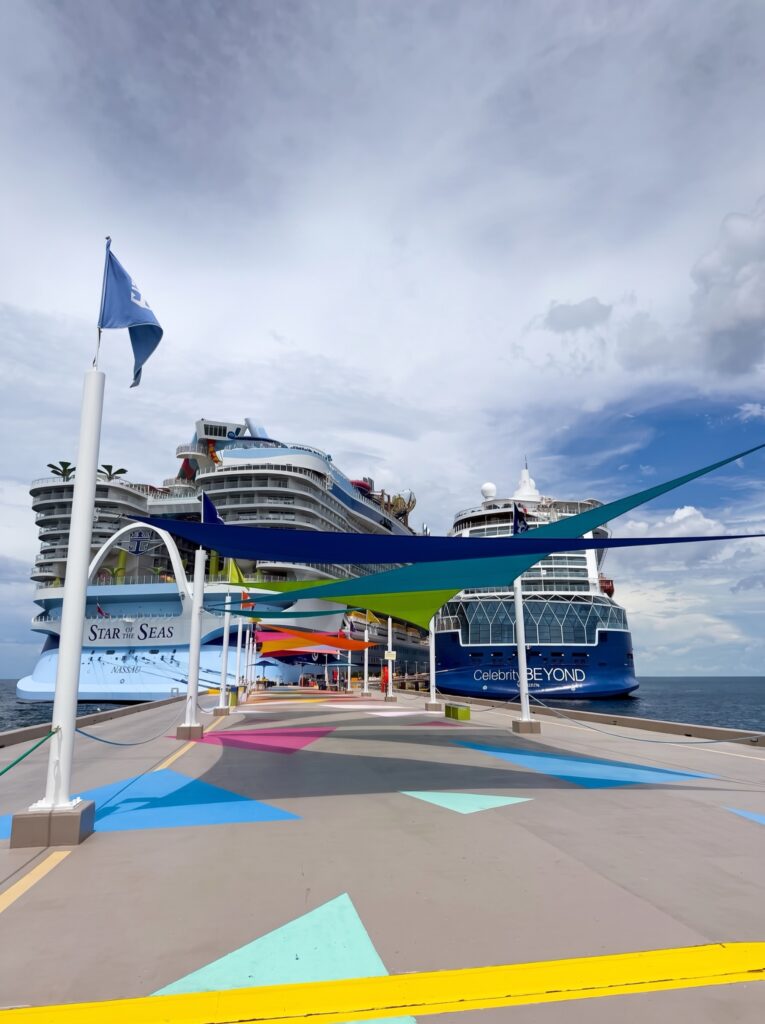
Royal Caribbean’s WiFi prices vary depending on the ship, date, and demand since they use dynamic pricing. For example, a price sheet from Star of the Seas in February 2026 listed these rates:
- 1 device, 7 nights: $230.93 ($32.99 a night)
- A 24-hour pass costs $34.99, which is the most expensive way to purchase WiFi.
- 4 devices, 7 nights: $755.72 ($26.99 per device per day)
A week of WiFi for two devices costs $405.86. On some ships, guests have also found a 60-minute pass for $9.99, but it’s only available at the VOOM desk.
I always recommend buying WiFi before your cruise because it’s usually cheaper than waiting until you’re onboard. Black Friday sales often offer the best deals of the year.
What Can You Do Without Paying?
Use the Free App Chat
Connect to the Guest Wi-Fi, open the app, and you can message anyone on your cruise. Cabinmates are linked automatically. It’s great for quick messages like “Meet me at the Windjammer!”
The iMessage Quirk
Some iPhone users are able to send text-only iMessages without VOOM, while others can’t, even on the same cruise. Think of it as a nice surprise, but don’t rely on it to keep in touch with your kids or pet sitter.
Skip the Sketchy “Hacks”
You might see VPN tricks and router workarounds online, but they’re unreliable and could break the ship’s rules. It’s not worth the hassle during your vacation.

Wifi on Private Islands and in Port
- Perfect Day at CocoCay: If you have a VOOM package, you can use it on the island without paying extra. Just keep in mind there isn’t any free public wifi.
- Royal Beach Club Lelepa (Vanuatu): This new beach club won’t have wifi available, even for VOOM users. It’s a good time to unplug and relax.
- Busy ports like Nassau: You’ll find lots of cafes and bars with free wifi. Port days are a great chance to upload photos or check messages without extra cost.
Avoid the Sneaky Bill: Cellular at Sea
When you’re at sea, your phone might connect to the ship’s cellular network. Your carrier decides the roaming rates, and they can be very expensive.
Protect yourself:
1. Turn on airplane mode before sail-away
2. Turn wifi back on
3. Make sure mobile data is off
4. Check your settings every morning since some phones can turn mobile data back on automatically.
Buying VOOM won’t stop roaming charges. Only your phone settings can do that. So don’t forget to change your settings as soon as you start leaving the port; otherwise you might get a surprise bill!
I had it happen to me on my very first cruise; nobody warned me about roaming out at sea. So when I got my next cell phone bill I had over $200 worth of charges! Even if you have to put a reminder or reminders on your phone to help you remember to make the necessary changes, it’s worth it.

7 Easy Ways to Save Money on Cruise Internet
1. Check your perks first. You might already have free days.
2. Buy your internet package before you board. Prices are usually better before the cruise than once you’re on the ship.
3. Watch for sales, especially around Black Friday.
4. Bundle your devices together. Getting one plan that covers multiple devices often costs less than buying separate plans for each device.
5. Take turns using the internet. Log out at logoff.com on one device, then log in on another to share your plan.
6. Consider skipping internet on the first day. Since you’re usually still in port, your regular phone plan might work until the ship leaves.
7. Use port wifi for big uploads and downloads.
So if you’re a family of four on a 7-night cruise, you could pay about $924 for four separate internet plans. But with one 4-device plan, it’s $755.72. If you buy it during a pre-cruise sale, you save even more, enough to cover a shore excursion!

Is the Royal Caribbean Internet Package Worth It?
Buy it if you:
- Work remotely or check email daily
- Have kids or aging parents at home
- Love posting in real time
Skip it if you:
- Want a true digital detox
- Are on a short, port-heavy cruise
- Only need to find your group onboard
Royal Caribbean Wifi FAQs
Is Royal Caribbean wifi free in 2026?
Most guests don’t get free wifi. Only top loyalty members and Sky or Star suite guests usually do.
How much is Royal Caribbean wifi per day?
Onboard, wifi costs around $32.99 per day if you buy a 7-night plan, or $34.99 for just 24 hours.
Can I text on Royal Caribbean without wifi?
You can message other guests for free using the app while onboard. To text people at home, you’ll usually need VOOM or your phone carrier’s cruise roaming.
Can I use the Royal Caribbean app for free?
Yes. Connect to Guest Wi-Fi and the app works without a package.
Can I share one wifi package?
Yes, but if you have a one-device plan, only one device can be connected at a time.
Does Royal Caribbean wifi work at CocoCay?
Yes, your VOOM wifi package will work at CocoCay too.
Do Diamond members get free internet on Royal Caribbean?
Diamond members get one free day of internet, and Diamond Plus members get two free days.
Is Royal Caribbean wifi good enough for Zoom?
Usually, yes. It’s a good idea to test your work VPN early, because some types of connections might not work.
Does a cruise eSIM replace ship wifi?
Sometimes it works, but results vary. Some cruisers have reported that their eSIM didn’t work at all on Royal Caribbean.

Stay Connected Without Getting Soaked
So, does Royal Caribbean offer free wifi? You won’t get full internet access unless you’ve earned it or booked a top suite. Still, the free app does more than most people think, and if you time things right, you can save a lot on your bill!
Here’s what I suggest: check your perks, buy early, bundle your devices, and turn off cellular before the ship leaves. After that, try putting your phone away for a while. The warm breeze and endless blue horizon are best enjoyed in person!